
What is the Earnings & Reporting Center?
A completely rebuilt reporting system that gives you full transparency into what you've done on the platform, how you've earned, and when you've been paid.
7. Earnings & Reporting Center
What Is It?
A completely rebuilt reporting system that gives you full transparency into what you've done on the platform, how you've earned, and when you've been paid — all in one place.
The Four Sections
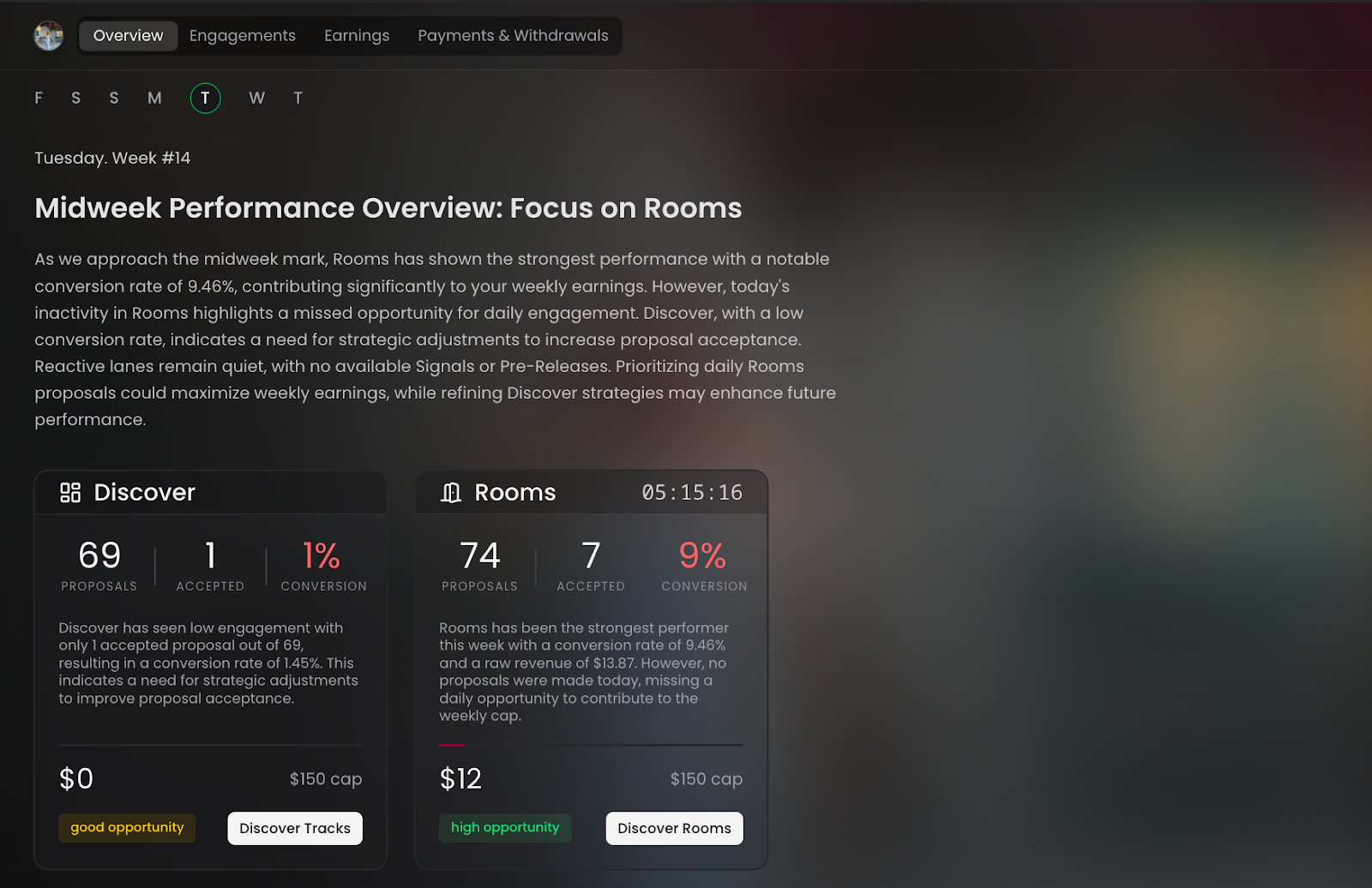
Overview
- Displays an AI-generated daily headline when you log in
- Tells you what day of the week it is in the platform cycle (e.g., "Today is New Music Friday")
- Recommends where to focus to maximize your earnings for that specific day and time
- Updates dynamically — Monday morning looks different from Friday evening
Engagement
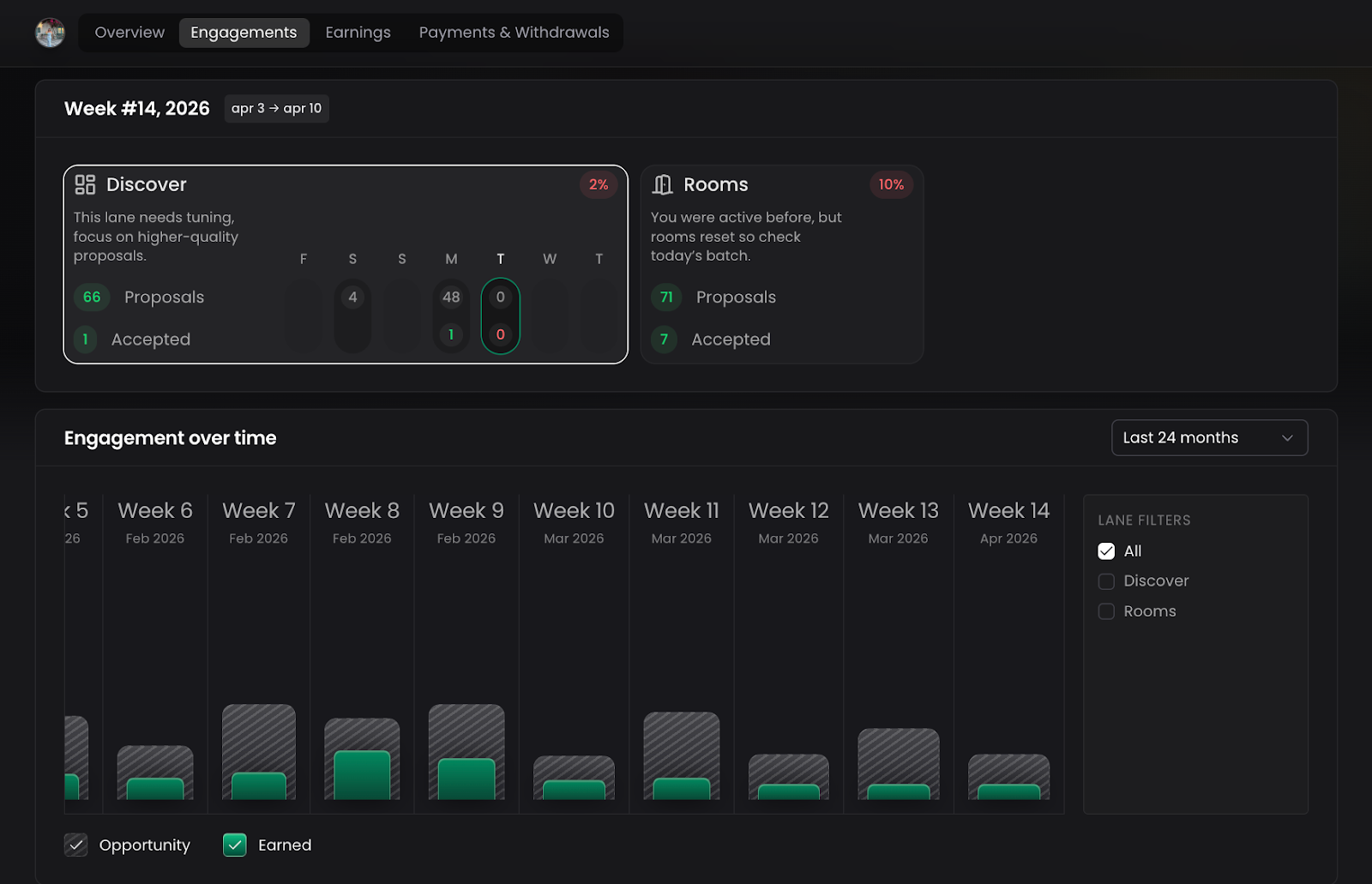
- Shows a week-by-week breakdown of all your activity: proposals, placements, reviews, and conversions
- Filter by revenue lane (Discovery, Rooms, and soon Signals and Pre-Releases) and by source (Promotions vs. Rooms)
- View your conversion rate — the percentage of your proposals that were accepted
- Historical data goes back 24 months
- Use notable time frames for easy navigation: This Week, Last Week, This Quarter, Last Quarter, Last 6 Months, All Time
- Example insight: *
You're converting about 31% of your proposals — if you want to earn more, you need to increase your volume or improve your selectivity
Earnings
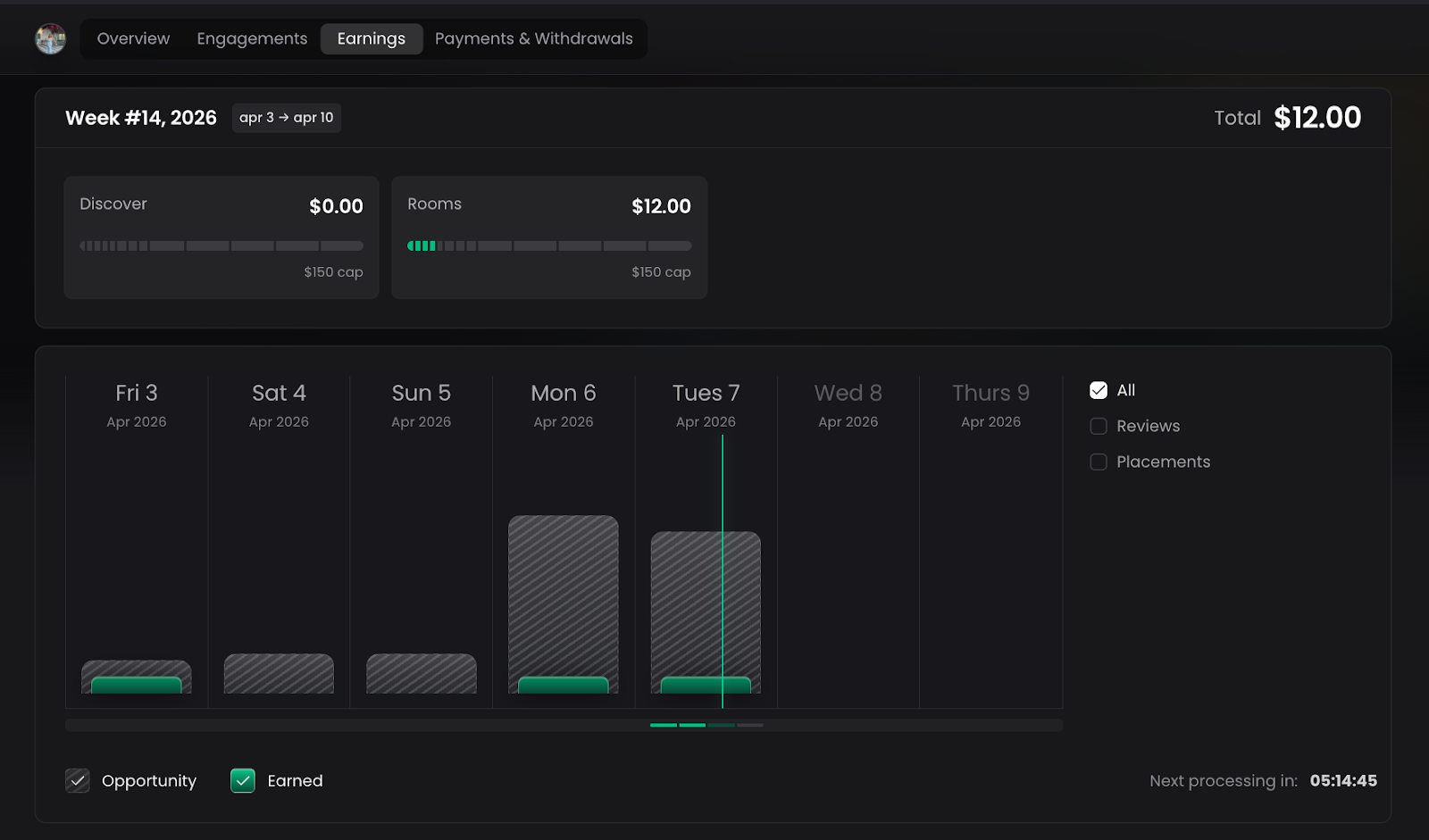
- Shows how much you've earned per revenue lane for the current week
- Placeholder slots are already built in for Signals and Pre-Releases — ready to populate when those lanes go live
- Drill down into any revenue lane to see the individual opportunities that contributed to your earnings
- Navigate back and forth between weeks to compare earnings over time — previously this was impossible
- Important: Earnings are never directly tied to specific placements — you are paid for the body of work you contribute each week, not on a per-placement basis
Payment & Withdrawal History
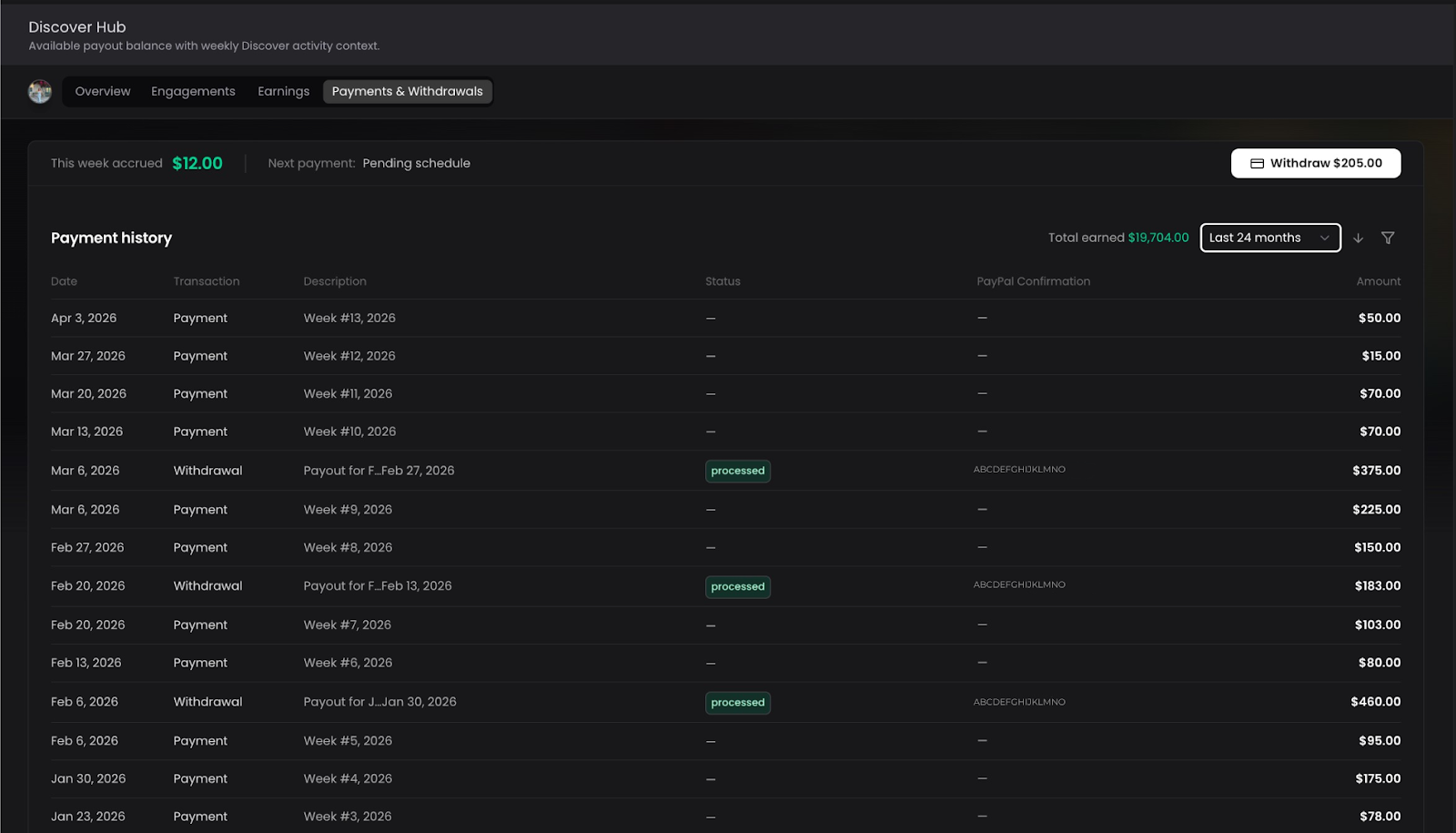
- Full chronological history of every weekly payout received
- Shows the exact amount withdrawn, the date, and the PayPal confirmation
- You choose when to take withdrawals — some playlisters withdraw weekly, others let earnings accumulate
Tips
- Check the Overview page every time you log in — it's your daily briefing
- Use the Engagement section to identify patterns: are you more productive on certain days? In certain revenue lanes?
- Review your conversion rate regularly — a low conversion rate means you may be over-proposing without being selective enough
