
What data do I get on my SongFly campaign performance? How do I see how my SongFly campaign is performing?
What data do I get on my SongFly campaign performance? How do I see how my SongFly campaign is performing?
You can explore your campaign’s performance and results, by clicking on the Digital Ads tab on the left-hand sidebar for the track you want to check:
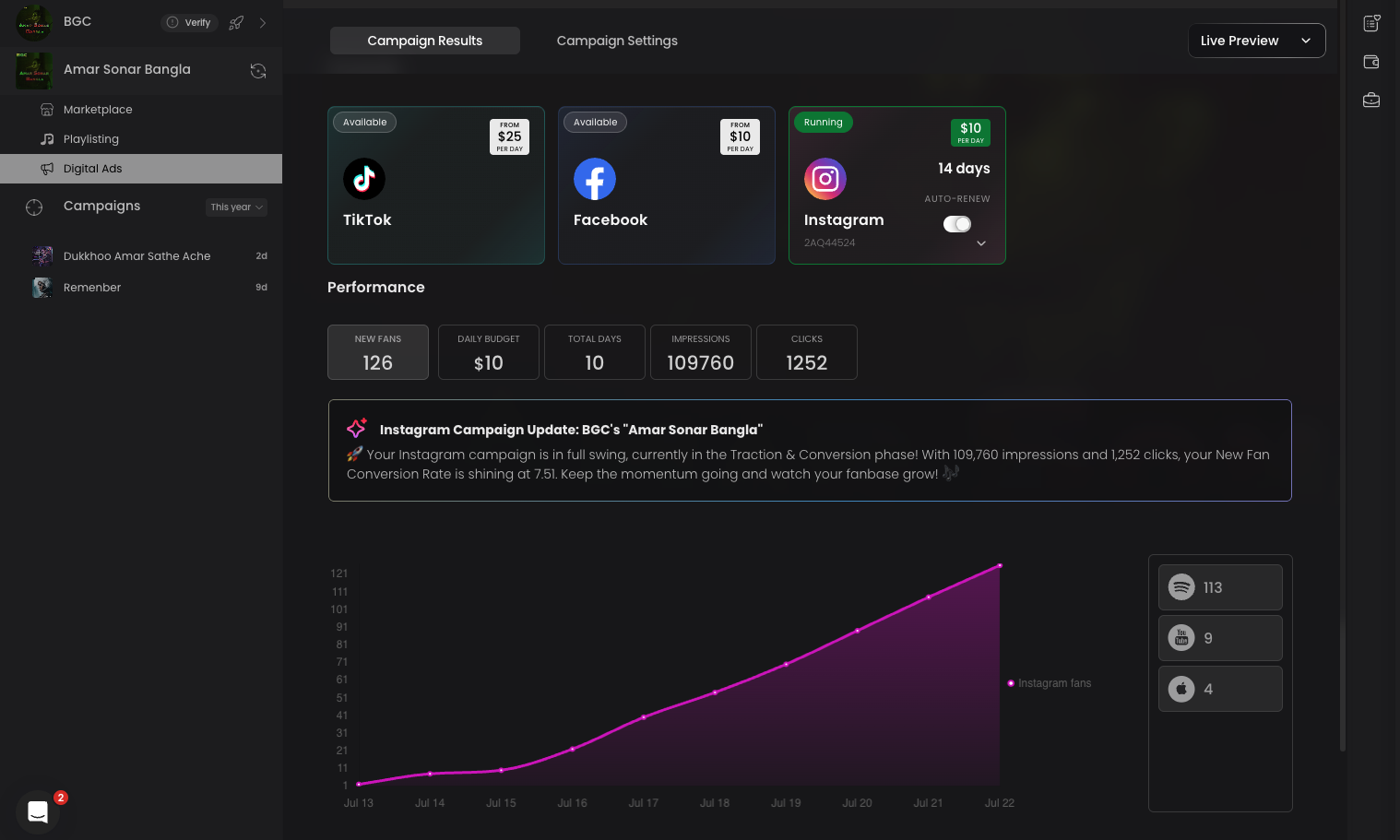
Here's a quick breakdown of all the metrics for your Songfly campaign:
New Fans: A "new fan" is someone that clicked on the ad, and then clicked on a specific streaming service like Spotify or Apple on your song's landing page. Once in one of these streaming services, they can take many different actions like stream (multiple times), save the song, or even follow your artist profile. These engagements are valuable because they lead people to become long-term listeners of you and your subsequent releases.
Daily Budget: This is the amount you set to spend each day on promoting your track to new listeners. Your daily budget directly affects how many people see your ads, higher budgets typically result in greater reach and faster results within your campaign timeframe.
Total Days: This shows how many days your campaign has been active so far. It's a helpful way to track progress and decide whether you'd like to renew the campaign as it approaches its end date.
Impressions: The total number of times your ad was shown on the social media platform of your choice, regardless of whether it was clicked or interacted with. This helps you understand how many people were potentially exposed to your ad and how wide your reach was during the campaign.
Clicks: The number of times someone tapped or clicked on your ad to learn more or take action, leading to your landing page. This shows how many people were interested enough to engage beyond just seeing the ad.
VYBE: This overview bubble gives you a clear snapshot of your campaign's key stats and current phase. There are four main phases your digital ad can move through, based on its duration and progress, to help you better understand performance over time. Once a campaign ends, this bubble will no longer appear, as there's no new data to track.
