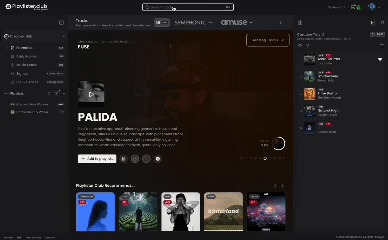
Welcome to the New Playlister Dashboard!
What is the new Playlister Dashboard?
1. The Discover Hub
What Is It?
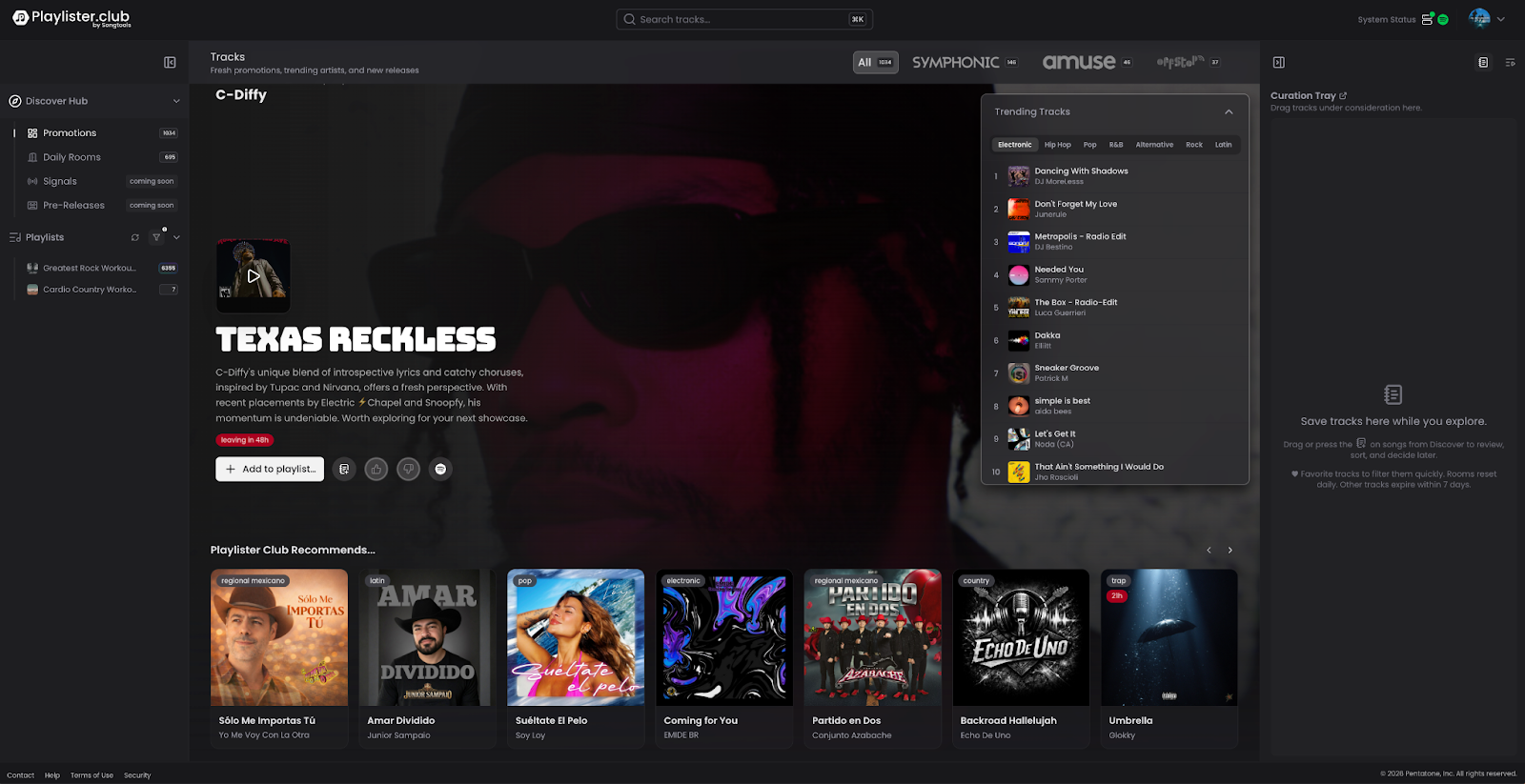
The Discover Hub is your central navigation center for all revenue lanes on the platform. It replaces the old Discovery Ecosystem and organizes everything into a cleaner, more flexible workspace.
How It Works
- The Hub is divided into Discovery Workspaces — internal branches where you can interact with songs and earn money
- Each workspace is represented as a collapsible/expandable container, so you can focus on what you're working on without distraction
- You can work with containers even in collapsed mode — switching between Promotions, Daily Rooms, and Music Match without fully expanding them
- Every playlist displayed in the Hub shows its follower count as the primary metric in small squares next to the playlist
- Playlists with 1,000+ followers are highlighted with a glowing visual effect, indicating they are active and eligible in the ecosystem
- Playlists with zero followers are hidden by default — you can toggle them on if needed, but they are not active in the ecosystem
Key Workspaces Inside the Discover Hub
Promotions
- Main discovery pool of songs available for placement proposals
Daily Rooms
- Time-sensitive daily marketplace (resets at midnight UTC)
Music Match
- Algorithm-powered song recommendations matched to your playlists
Signals
- Artist-submitted tracks with video testimonials
Pre-Releases (Coming Soon)
- Unreleased songs from artists seeking early feedback
Primary Metrics at a Glance
- Promotions: Shows total number of songs available in that workspace
- Daily Rooms: Shows total songs available in today's room
- Music Match: Shows matched songs based on your playlist catalog
Tips
- Use the collapsible layout to focus on one workspace at a time
- Always check the follower count before proposing — playlists under 1,000 followers are not active in the ecosystem
- The Hub overview page updates dynamically throughout the day with AI-generated recommendations on where to focus
2. The Curation Tray
What Is It?
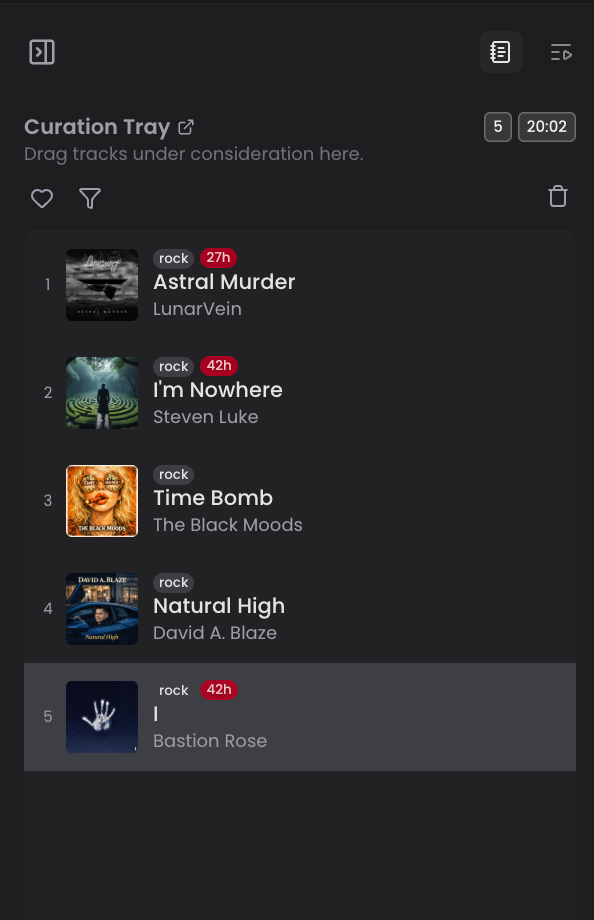
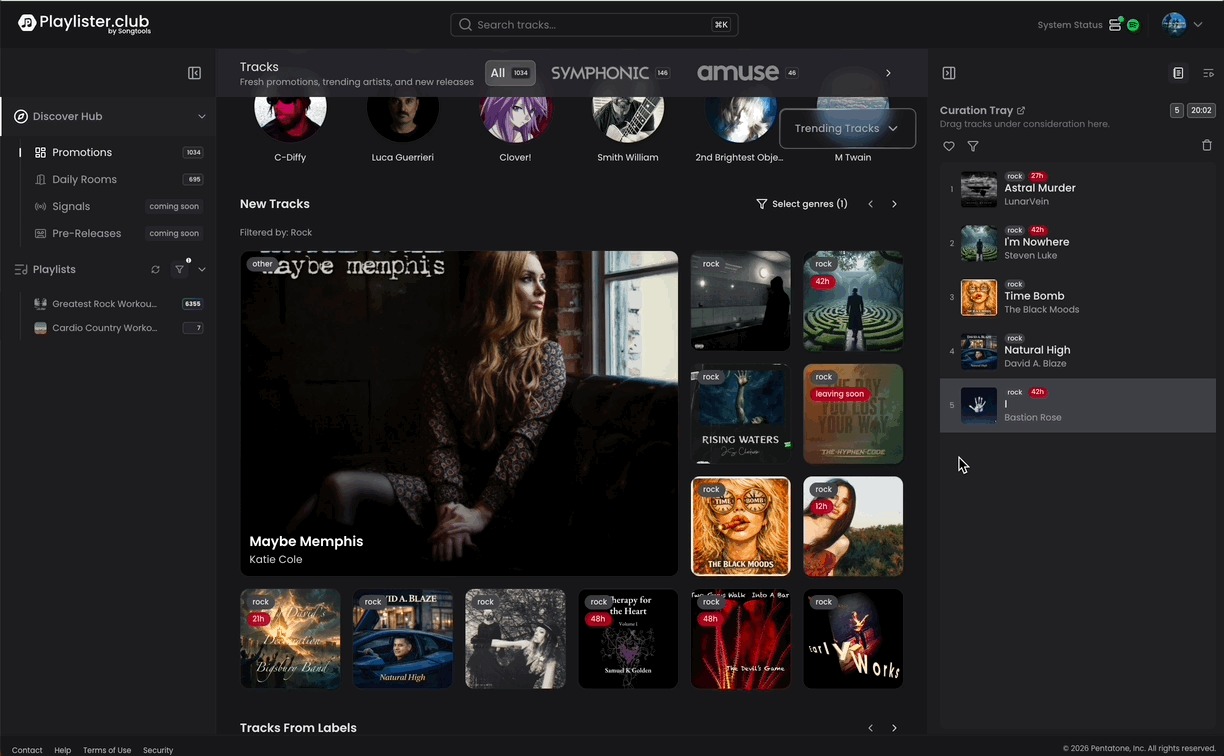
The Curation Tray is a persistent staging area where you can collect songs from any marketplace before committing to a placement or review. It eliminates the need to make impulse decisions the moment you hear a song you like.
How It Works
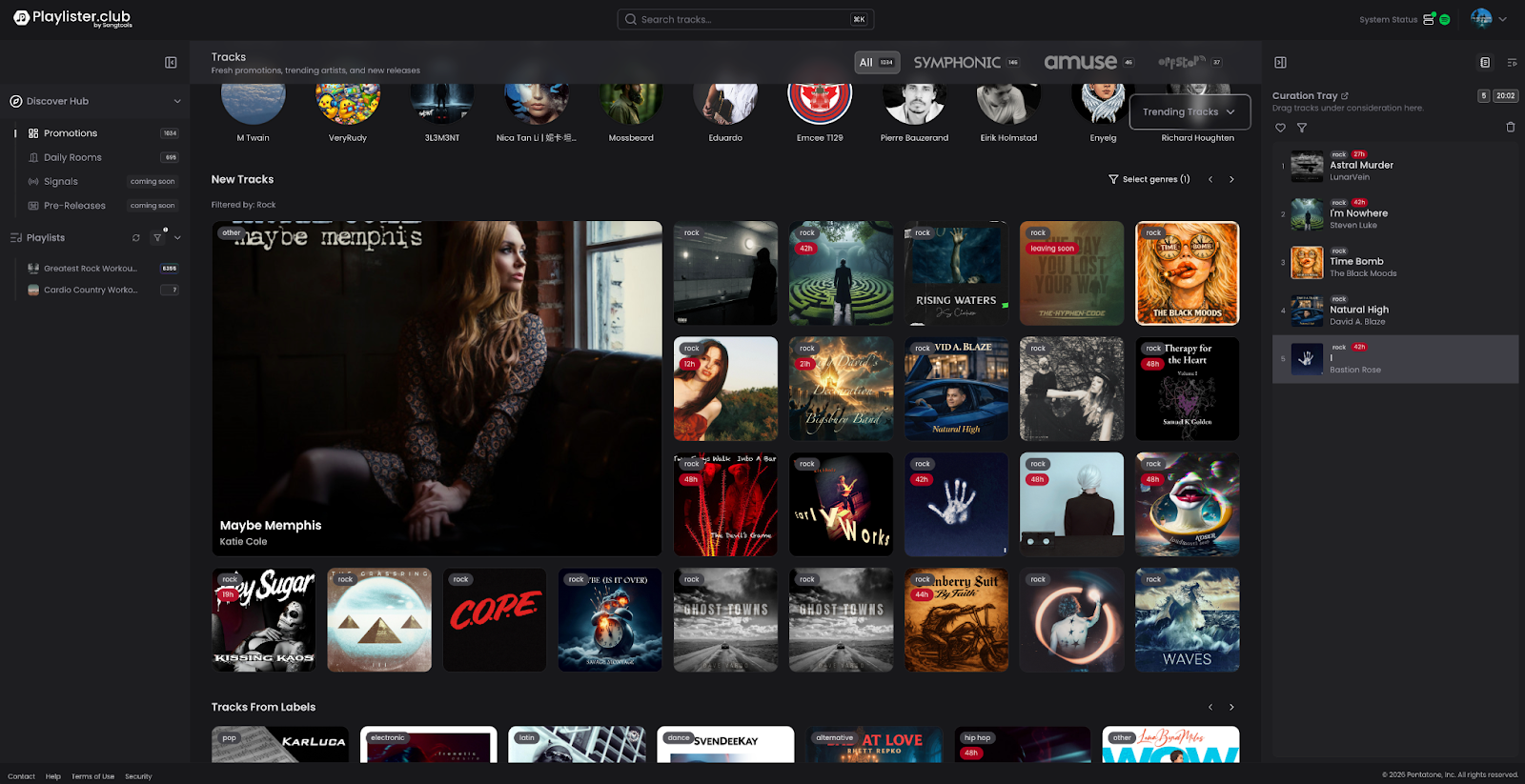
- Drag and drop any song from any marketplace (Promotions, Rooms, Music Match) directly into your Curation Tray
- The tray appears as a panel on the right side of your dashboard
- Songs in the tray are ordered by preference — you can rearrange them by dragging them into the order you want
- The tray persists across sessions — if you add songs in the morning and come back after lunch, your tray will be exactly as you left it
- The tray has no song limit — you can stage as many songs as you like
- You can expand the tray to make it the main focus of your workspace when you're ready to make placement decisions
Song Expiration
Songs don't stay in your tray forever. Here's how expiration works:
Promotions
- Expiration Time: 7 days from when added
Daily Rooms
- Expiration Time: When the room resets (midnight UTC)
Any source
- Also expires if the promotion itself expires
- Each song in the tray displays a countdown timer showing exactly when it will expire
- Example: "This song expires in 14 hours" — act before it disappears
Favoriting Songs in the Tray
- You can favorite a song within your Curation Tray to mark it as a priority
- Favoriting represents a second, stronger level of intent — you're not just staging it, you're signaling you love it
- Both adding to the tray AND favoriting send retargeting signals to the artist (see Intent Signals below)
Intent Signals to Artists
This is an important feature to understand:
- When you add a song to your Curation Tray, the artist receives a notification that a playlister has staged their song
- When you favorite a song in your tray, the artist receives a stronger signal that a playlister loves their track
- These signals are sent without you needing to make a placement or review — they represent early intent
- This benefits artists by keeping them informed of curator interest at every stage
Source Tagging
- Every song in your tray is tagged with its source — whether it came from Promotions, Daily Rooms, or Music Match
- This helps you keep track of where you found each song and manage your time accordingly
Making Placements from the Tray
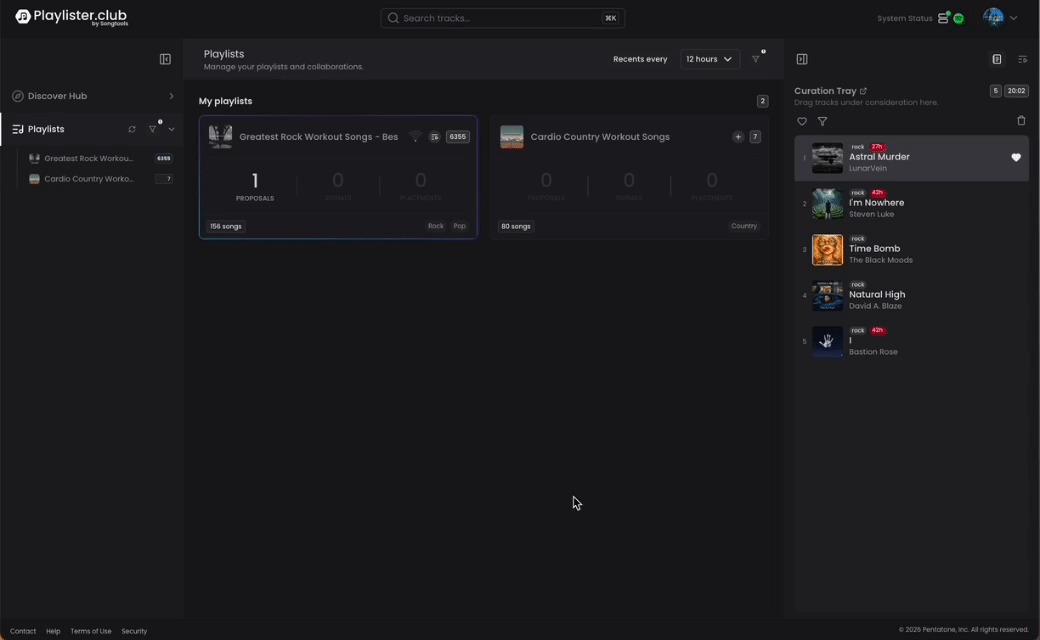
Once you're ready to act on songs in your tray, you have multiple options:
- Drag and drop a song from your tray directly onto a playlist at a specific position (top 5, top 10, middle, bottom)
- Use the dialogue to select which playlist to add it to (multi-playlist additions are still supported)
- Expand the combined view — place your tray and your playlist side by side for a seamless drag-and-drop experience
Tips
- Use the tray to batch your curation — collect songs throughout the day and make placement decisions when you're ready
- Pay attention to expiration timers, especially for songs sourced from Rooms
- Favoriting songs you love but aren't ready to place yet keeps the artist informed and engaged
3. AI-Powered Song Summaries
What Is It?
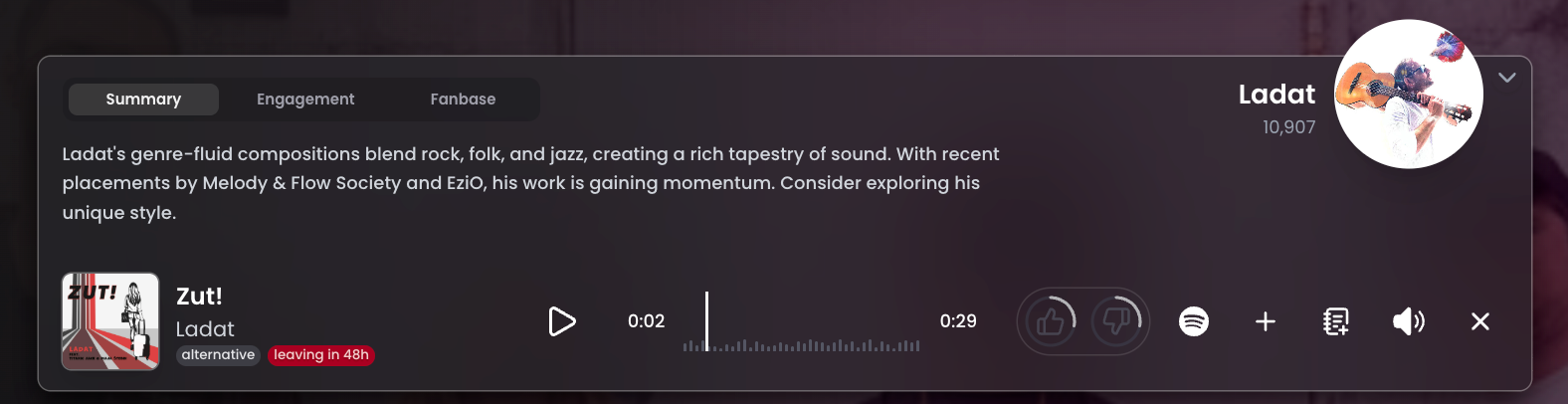
Every song in the platform now comes with a dynamic, AI-generated summary designed to help you quickly evaluate whether a track is right for your playlist — without having to research the artist yourself.
How It Works
- When you click on a song, the player now displays an AI-generated pitch alongside the standard playback controls
- The AI synthesizes the following data points into a concise summary:
- Artist bio
- Spotify stream counts
- Platform engagement history (which playlists have added the song, how it's been interacted with)
- Recent placements on other playlists within the ecosystem
- The summary is updated daily — it reflects how the song is performing right now, not just when it was uploaded
- The AI is specifically prompted to pitch the song to you as a playlister — it's designed to highlight why this track could be a good fit, not just describe the artist
Example Summaries
- Andreas Castillo, a pioneer in the Mexican urban scene, has a rich history with a knack for producing hits. His track from La Boost has over 24 million streams on Spotify — worth exploring for its cultural impact.
- D La's music is a heartfelt journey blending Indian dream pop with raw emotion, with recent placements on [Playlist A] and [Playlist B].
What the AI Does NOT Do
- It does not share sensitive data that could harm an artist's reputation
- It does not reveal confidential engagement metrics that cross industry boundaries
- All data included in the summary has been carefully selected to benefit both the playlister and the artist
Tips
- Use the summary as a quick first filter — if the pitch resonates, dive deeper into the fan base and engagement data
- Summaries change daily, so a song you passed on last week may have a more compelling summary today
4. The Fan Base Metric
What Is It?
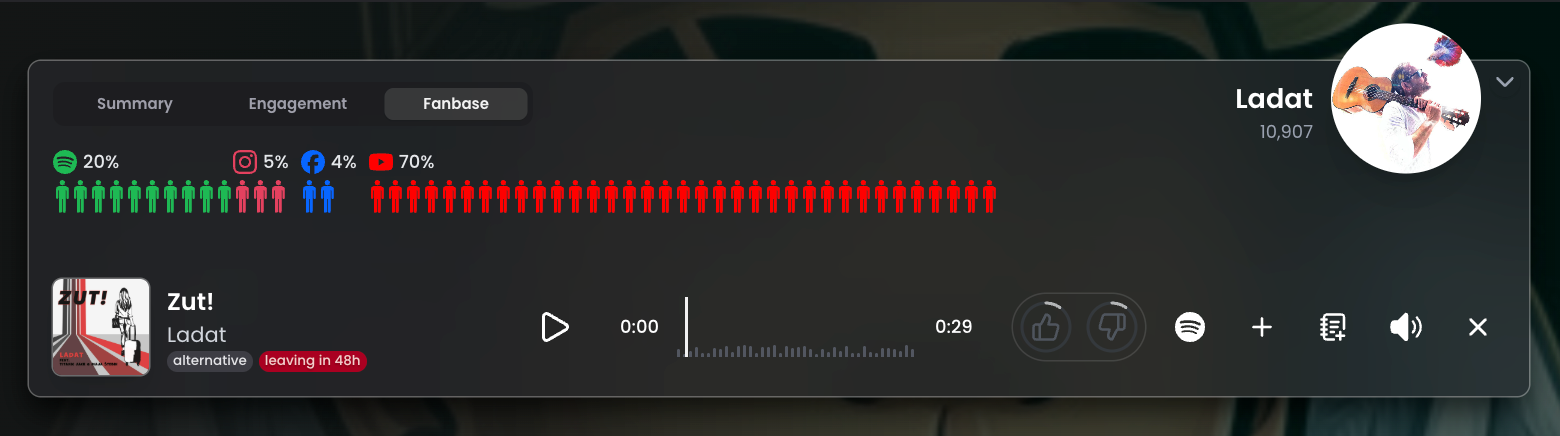
The Fan Base Metric is a new way of measuring an artist's true global reach — going beyond Spotify followers to include data from all major channels.
Why It Matters
Previously, the platform only surfaced Spotify follower counts to evaluate an artist's size. This created a significant blind spot:
- An artist with 54,000 total fans might only have 32% of those on Spotify (about 17,000)
- Relying on Spotify alone would cause you to underestimate that artist by two thirds
- Many large artists are primarily based on YouTube, TikTok, or other platforms
How It Works
- Fan base data is pulled from Soundcharts, which aggregates follower and audience data across all major channels
- The artist avatar size in the platform is drawn proportionally to their total fan base — bigger avatar = bigger artist
- You can click on any segment of the fan base breakdown to go directly to that artist's channel (e.g., click the YouTube segment to open their YouTube channel)
- If Soundcharts doesn't have data for a particular artist, the fan base metric simply won't appear — it never penalizes an artist for missing data
- Spotify popularity is still available as a hover metric for additional context
Reading the Fan Base
- A large, varied fan base across multiple channels = established artist with broad reach
- A fan base concentrated almost entirely in one channel (e.g., YouTube) = niche but potentially large audience outside Spotify
- A small fan base matching their Spotify count = emerging artist whose numbers are consistent across platforms
Tips
- Don't dismiss artists with low Spotify followers — check the full fan base breakdown first
- Use the channel links to do quick research directly from the platform
5. Rooms — Revamped
What Is It?
Rooms is the platform's daily, time-sensitive marketplace where you can earn money by proposing songs for placement. It has been completely redesigned to create more urgency and make it easier to spot the best opportunities before the daily reset.
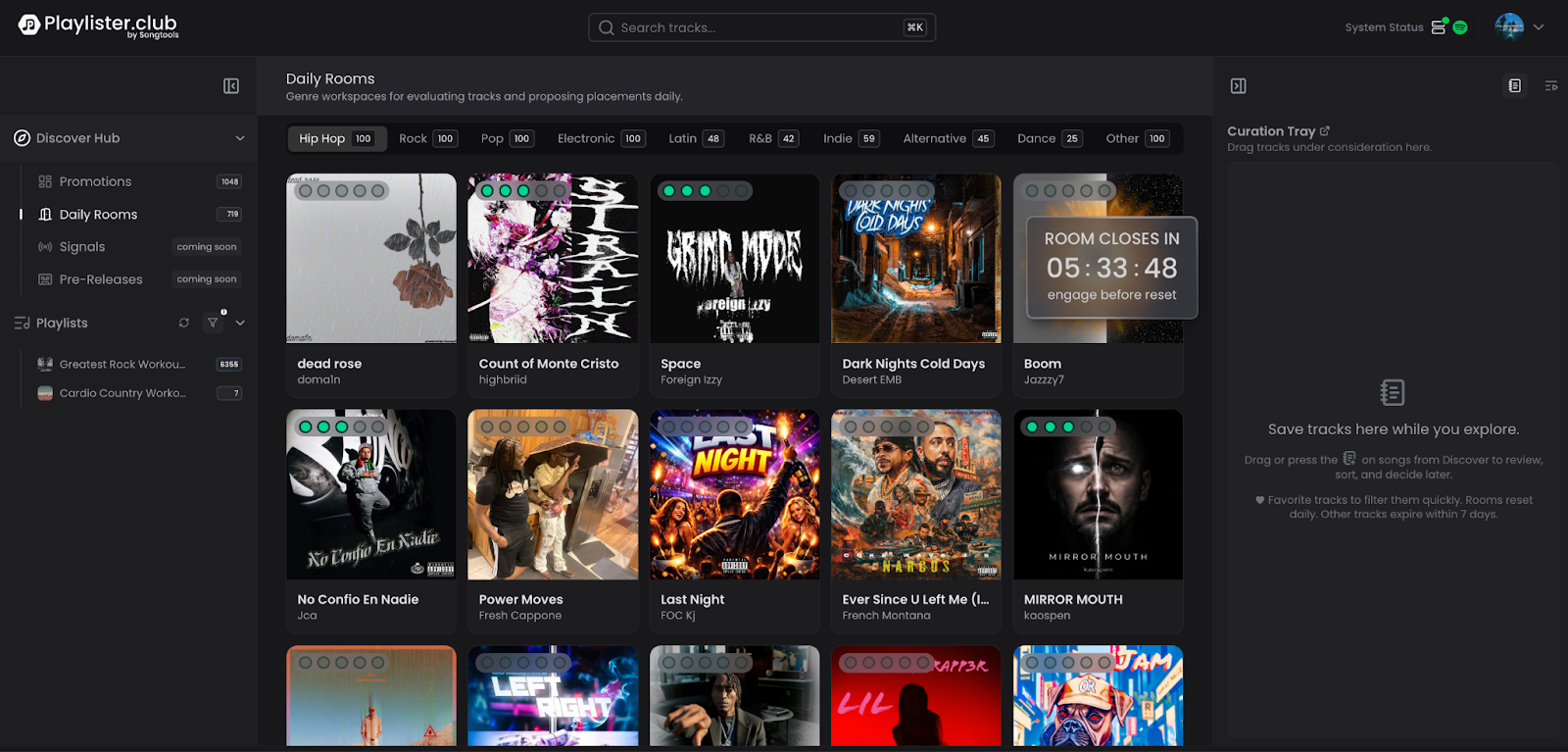
How It Works
- Rooms reset every day at midnight UTC (London time)
- All proposals made in a room are evaluated once per day at midnight — this is when earnings are awarded
- Proposals do not carry over to the next day — each day is a fresh start
- The room displays all competing songs simultaneously, so you can see the full landscape at once
The AI Momentum Indicator
This is the biggest new addition to Rooms:
- Every song in a room now has a Momentum Score — an AI-generated indicator of how actively playlisters are engaging that song in the room that day
- Momentum updates in real time throughout the day — check back later and you'll see it has changed
- A song with low momentum could mean:
- It hasn't been discovered yet — a hidden gem opportunity
- It's genuinely not resonating with curators
- A song with high momentum could mean:
- It's competitive — many playlisters are already proposing it
- It's a strong track worth adding to your proposals
Earning in Rooms
- Rooms is one of your core revenue lanes alongside Discovery
- The platform distributes a fixed daily pool to room participants (e.g., $1,500 distributed at midnight)
- Your earnings are based on the proposals you make and how many are accepted
- Because rooms reset daily, every day is a new earning opportunity — don't skip a day
Curation Tray Integration
- You can add songs from Rooms directly to your Curation Tray
- Songs sourced from Rooms will be tagged accordingly and will expire when the room resets (not after 7 days)
- The expiration timer on tray items from Rooms will reflect the time remaining until midnight UTC
Tips
- Check Rooms every day — missing a day means missing that day's earning pool entirely
- Use the Momentum Indicator to quickly identify under-the-radar tracks before others find them
- Don't wait until late in the day — the earlier you propose, the more time Midas has to evaluate
6. Music Match
What Is It?
Music Match is an algorithm-powered discovery tool that maps thousands of individual songs as dots across a mood landscape — drag your playlist to any cell and watch your recommendations reshape in real time. Move it and the entire mix shifts, opening up new artists or narrowing in on a specific sound, based on exactly the vibe you're curating for.
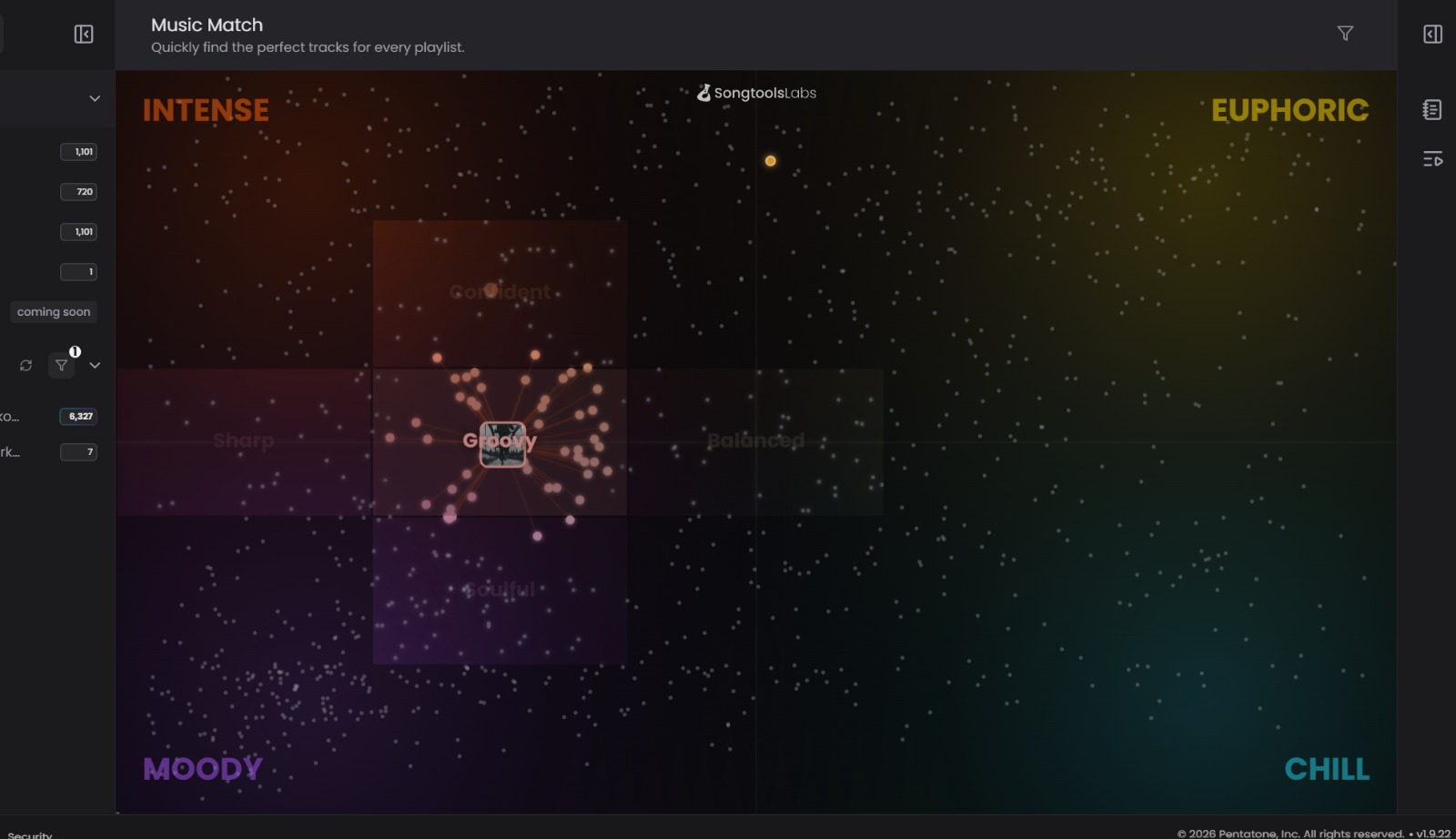
How It Works
- Select any of your playlists on the mood grid
- Every other dot on the grid is a real song — thousands of them, distributed across four main mood zones: Intense, Euphoric, Moody, and Chill
- Drag your playlist's dot across the map to shift what flows toward you — when you move it, your recommendations change, drilling down into more specific moods and a completely different mix of artists
- Each song is represented as a bubble — the size of the bubble reflects the artist's relative popularity
- You can request 25, 50, 75 or more recommendations at a time
- Any song you like can be added directly to your Curation Tray from the Music Match view
The Algorithm — How Songs Are Matched
Music Match uses a 4-quadrant mood and transformation model:
- Instead of relying on a single mood tag, the algorithm determines where each song sits across four mood quadrants — Intense, Euphoric, Moody, and Chill
- Your playlist is placed on that same map, and the songs closest to it are surfaced as recommendations
- Drag your playlist across the map to explore different moods — move toward Euphoric and you'll get brighter, more energetic matches; shift toward Moody and the mix darkens
- Where you place your playlist determines what flows toward you — different cells mean different artists, different sonic textures, and a completely different set of recommendations
- This means matches are based on sonic DNA, not just genre labels
What Music Match Earns You
- Any placements or proposals made through Music Match count toward your Discovery Max Weekly Pay
- Music Match is essentially a smarter, more targeted way to find songs for the same Discovery earnings pool
- Think of it as the universe view of Discovery — same revenue lane, different (and more precise) way of finding songs
Tips
- Use Music Match when you want highly targeted recommendations rather than browsing the full promotion pool
- Larger bubbles = more popular artists — useful if you want to add well-known names to your playlist
- Try moving your playlist to different cells to explore how your recommendations change — small shifts can open up a completely different set of artists
- All playlists with at least 1 follower will appear in Music Match starting with the 1.9 release
7. Earnings & Reporting Center
What Is It?
A completely rebuilt reporting system that gives you full transparency into what you've done on the platform, how you've earned, and when you've been paid — all in one place.
The Four Sections
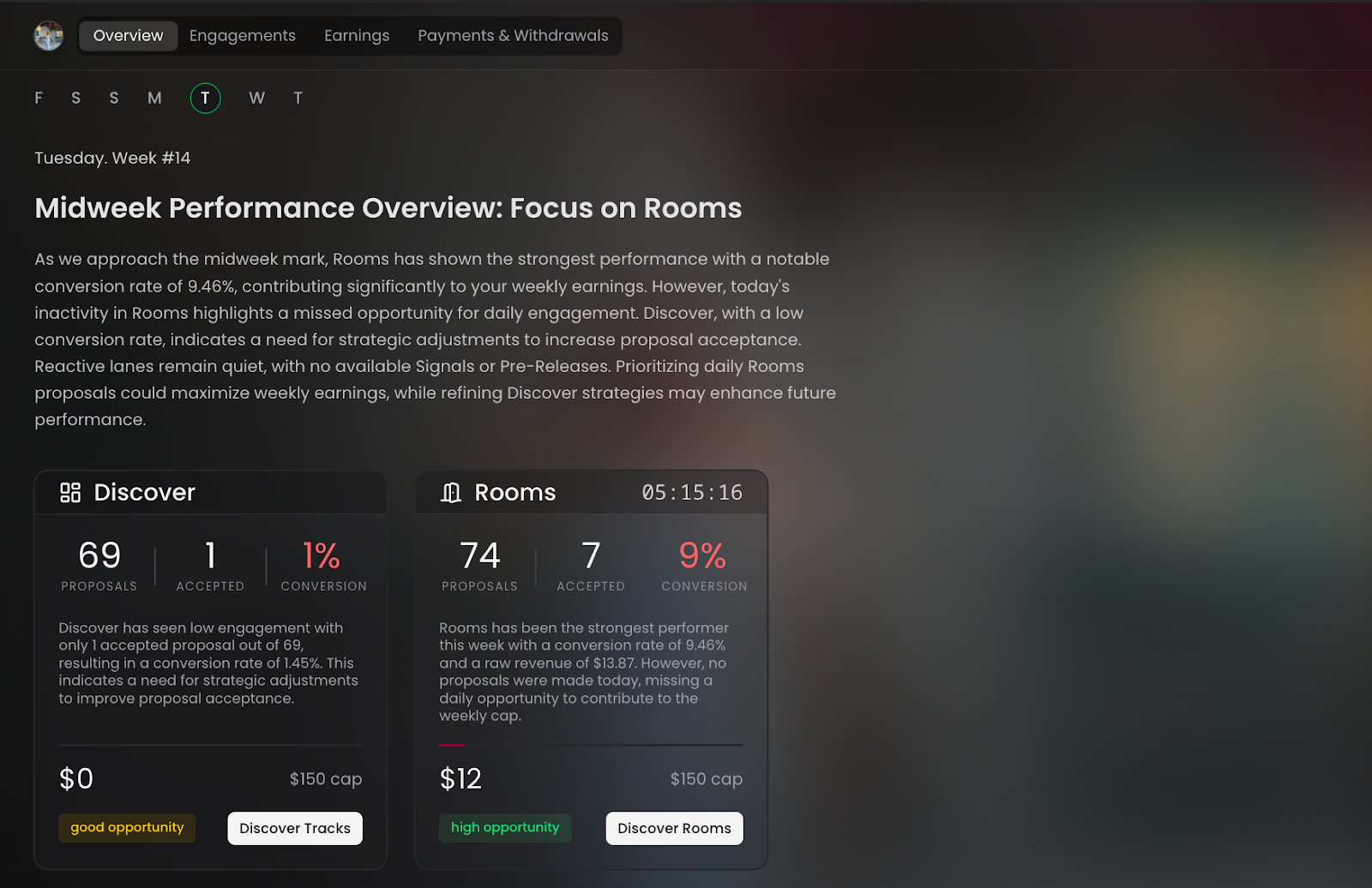
Overview
- Displays an AI-generated daily headline when you log in
- Tells you what day of the week it is in the platform cycle (e.g., "Today is New Music Friday")
- Recommends where to focus to maximize your earnings for that specific day and time
- Updates dynamically — Monday morning looks different from Friday evening
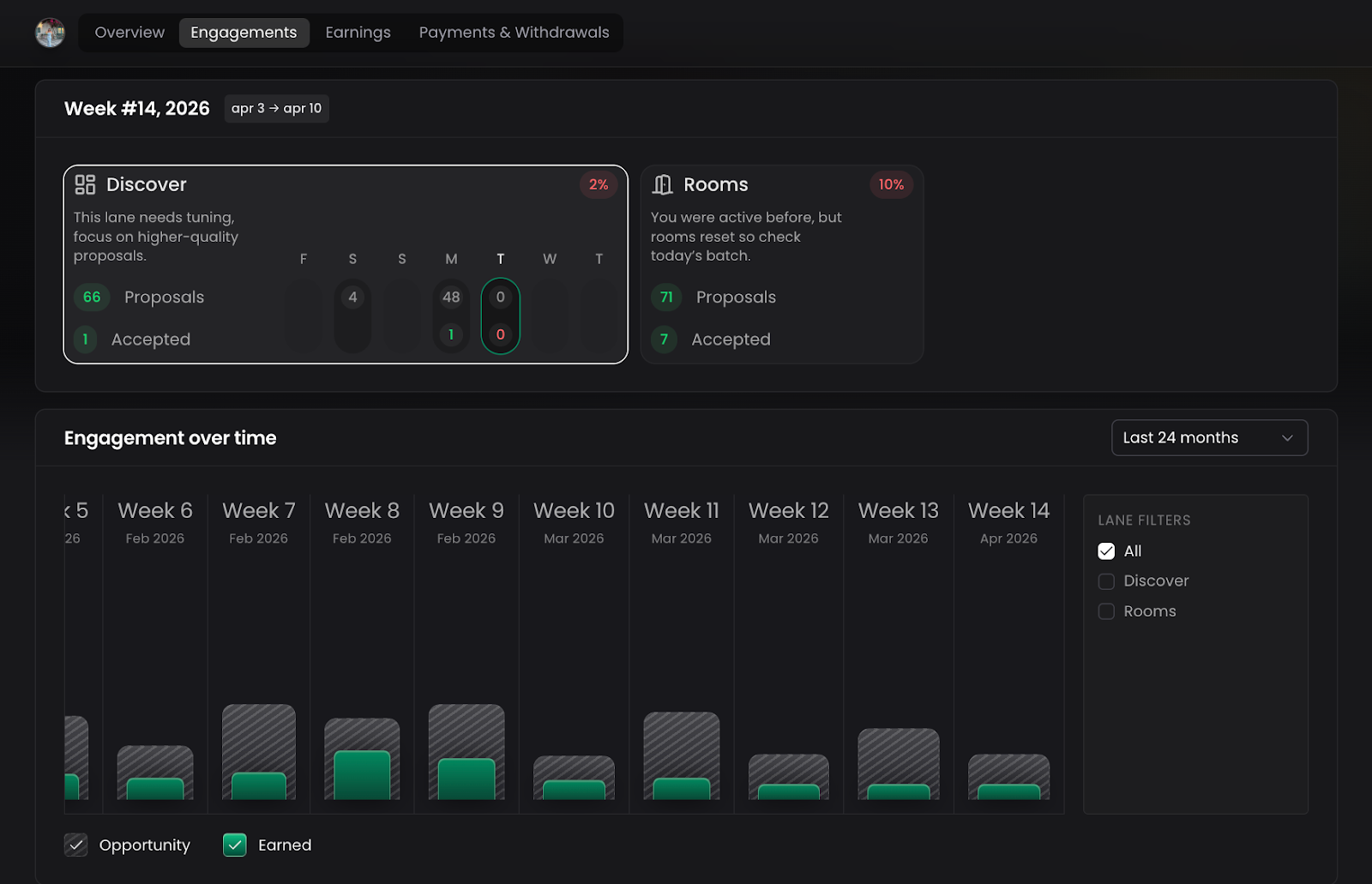
Engagement
- Shows a week-by-week breakdown of all your activity: proposals, placements, reviews, and conversions
- Filter by revenue lane (Discovery, Rooms, and soon Signals and Pre-Releases) and by source (Promotions vs. Rooms)
- View your conversion rate — the percentage of your proposals that were accepted
- Historical data goes back 24 months
- Use notable time frames for easy navigation: This Week, Last Week, This Quarter, Last Quarter, Last 6 Months, All Time
- Example insight: *
You're converting about 31% of your proposals — if you want to earn more, you need to increase your volume or improve your selectivity
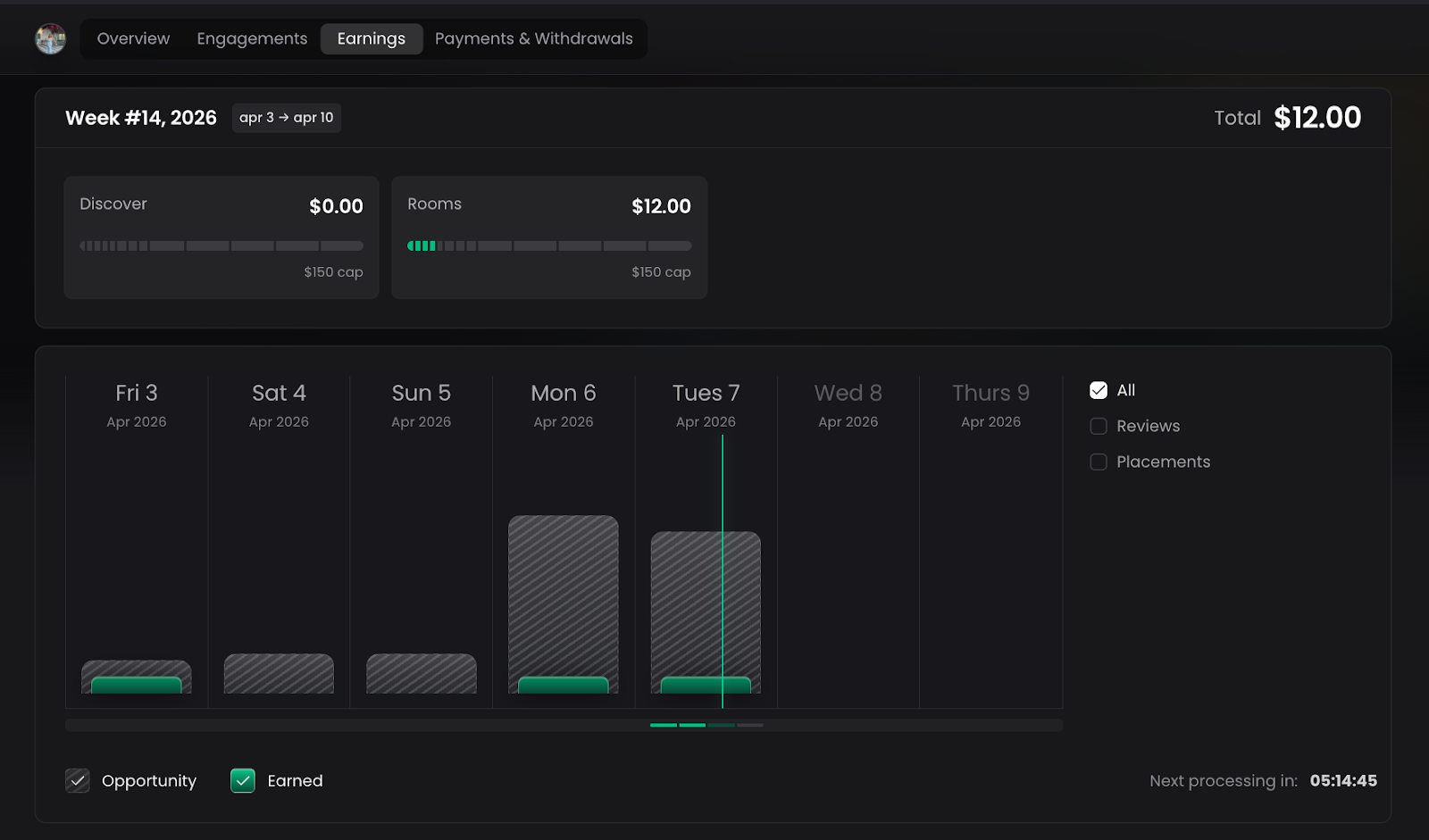
Earnings
- Shows how much you've earned per revenue lane for the current week
- Placeholder slots are already built in for Signals and Pre-Releases — ready to populate when those lanes go live
- Drill down into any revenue lane to see the individual opportunities that contributed to your earnings
- Navigate back and forth between weeks to compare earnings over time — previously this was impossible
- Important: Earnings are never directly tied to specific placements — you are paid for the body of work you contribute each week, not on a per-placement basis
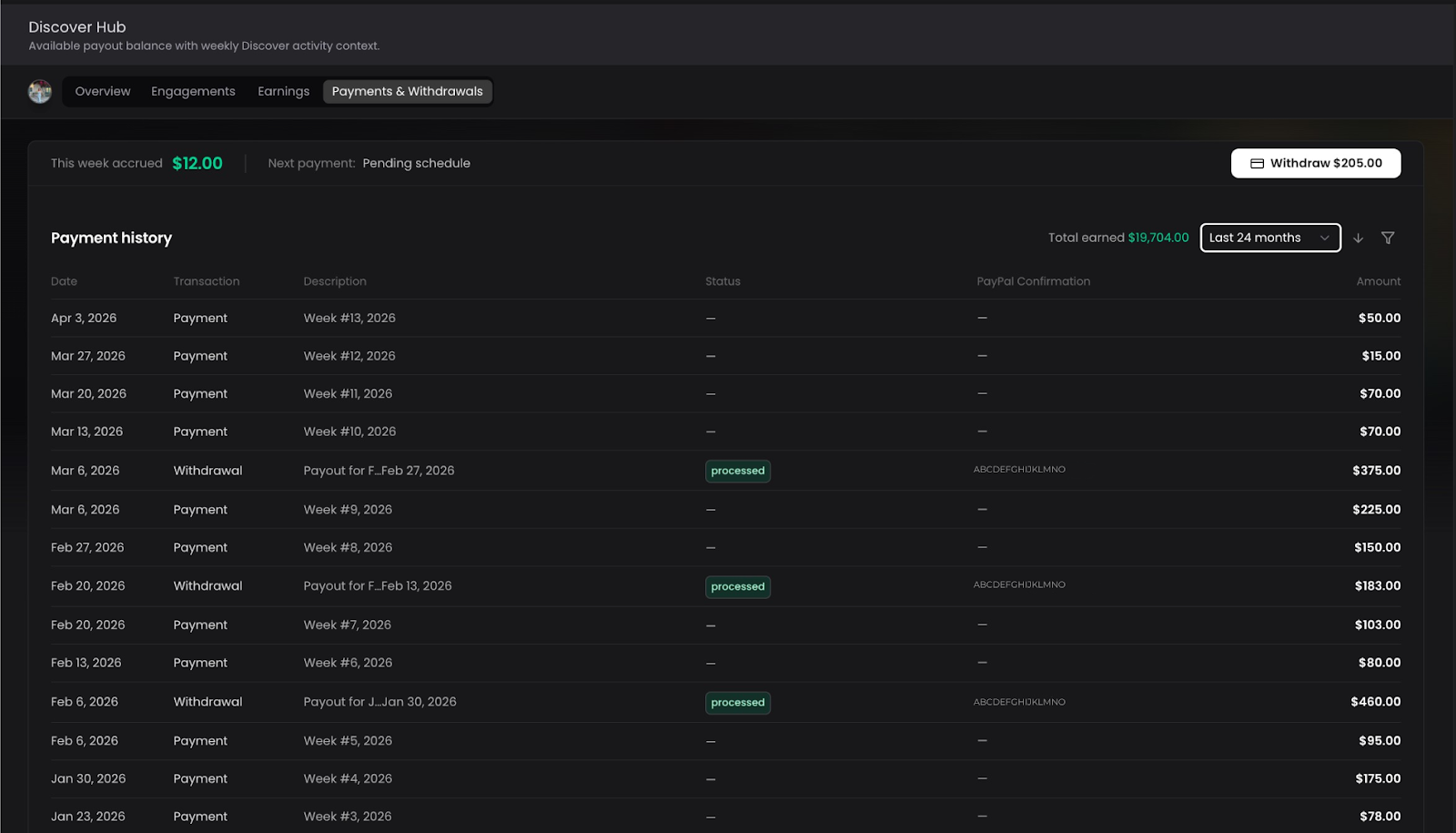
Payment & Withdrawal History
- Full chronological history of every weekly payout received
- Shows the exact amount withdrawn, the date, and the PayPal confirmation
- You choose when to take withdrawals — some playlisters withdraw weekly, others let earnings accumulate
Tips
- Check the Overview page every time you log in — it's your daily briefing
- Use the Engagement section to identify patterns: are you more productive on certain days? In certain revenue lanes?
- Review your conversion rate regularly — a low conversion rate means you may be over-proposing without being selective enough
8. Partner Mini-Marketplaces
What Is It?
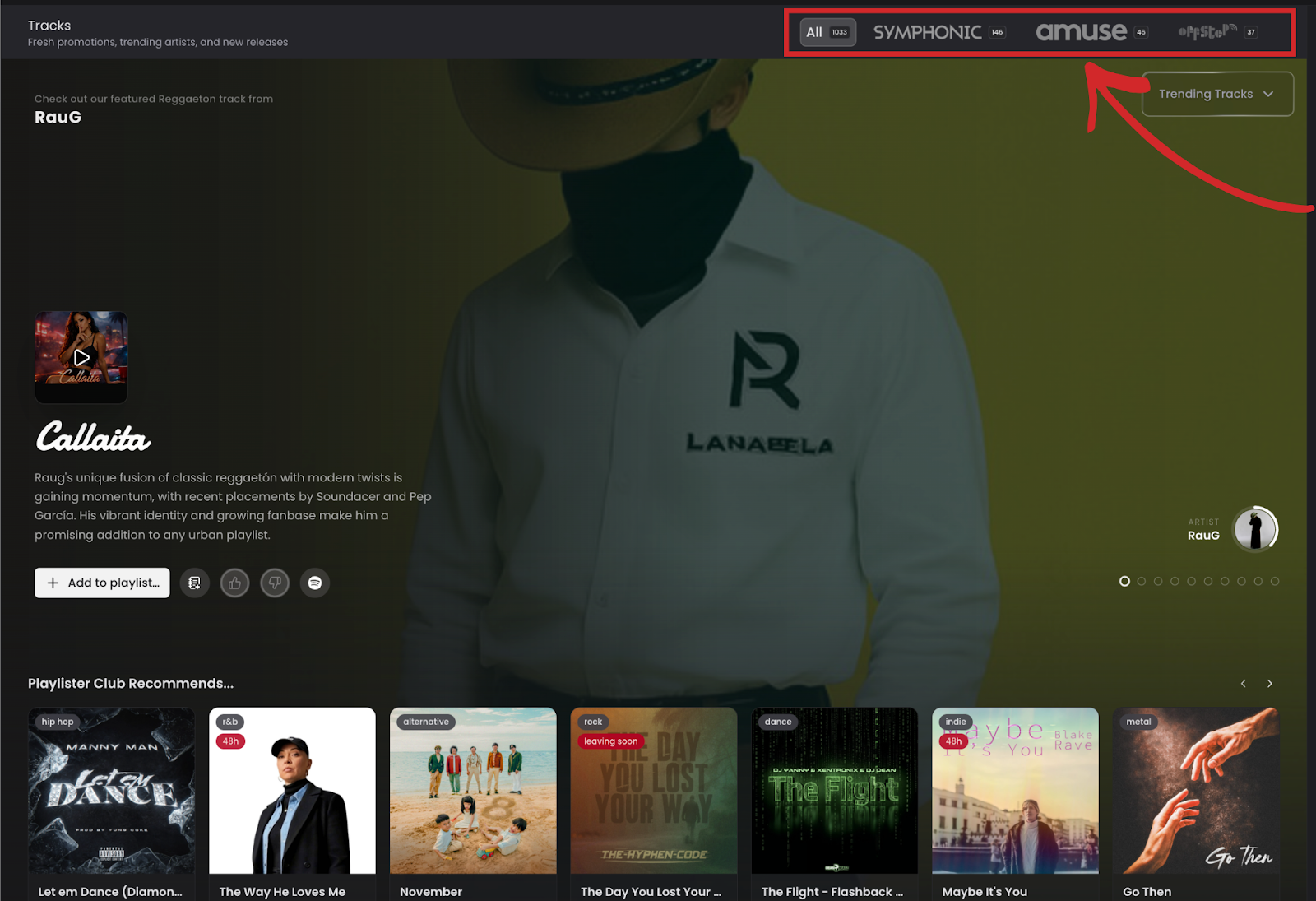
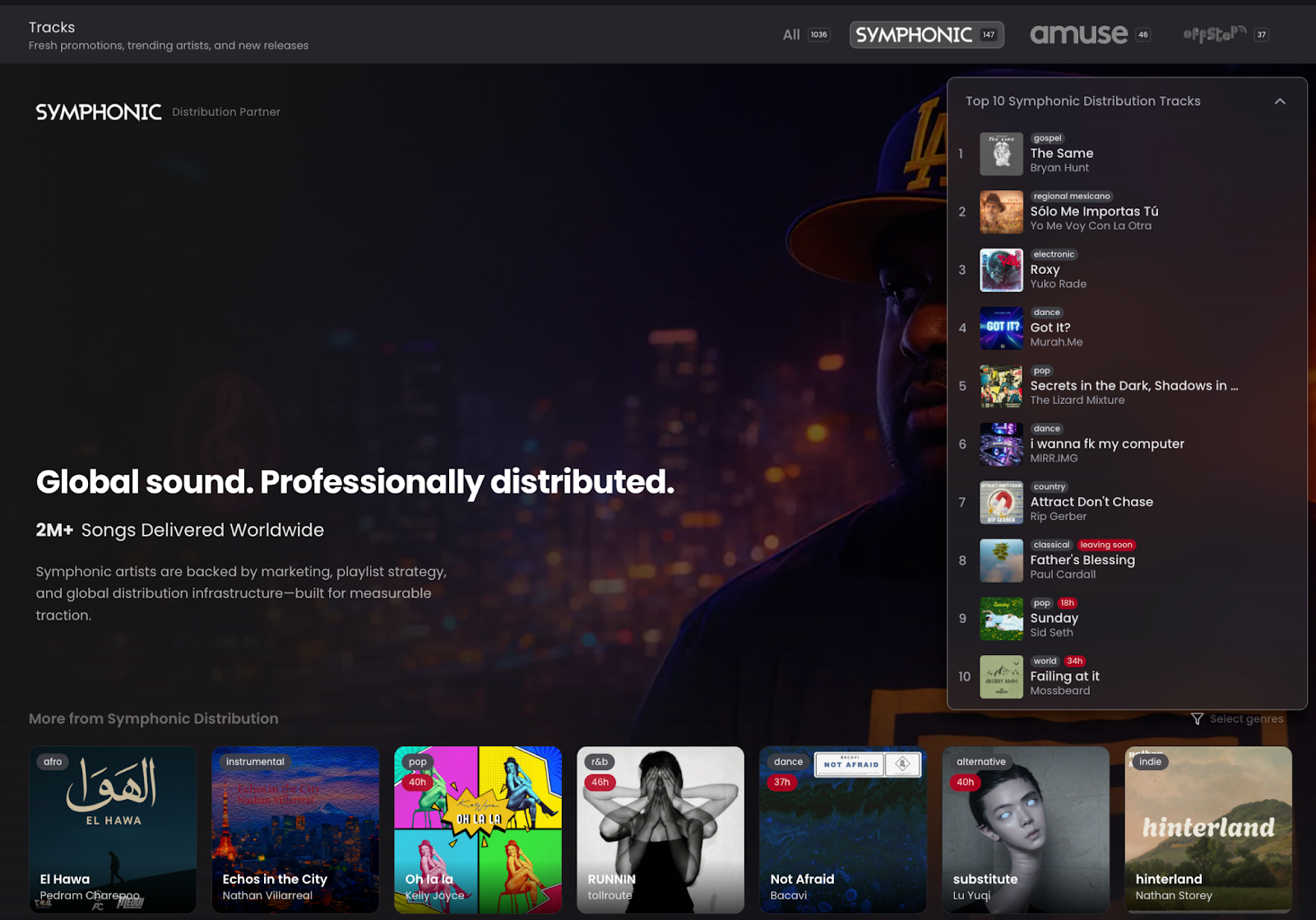
A dedicated, branded discovery space for distribution partners who have an active presence in the ecosystem — giving you a curated view of their catalog and giving partners direct visibility with playlisters.
How It Works
- Any distribution partner with 25 or more active promotions in the ecosystem automatically receives a branded mini-marketplace
- These mini-marketplaces appear within the Discover Hub as dedicated sections (e.g., "Symphonic Top 10", "Amuse Catalog")
- The distributor's logo appears on the player underneath the artist avatar whenever you're listening to one of their tracks — even outside the mini-marketplace
- Partners with fewer than 25 active promotions do not get a dedicated mini-site, but their logo still appears on the player for their tracks
What This Means for You
- You can now browse by distributor if you have a preference for certain labels or distribution networks
- Mini-marketplaces make it easy to find high-quality, professionally distributed tracks in one place
- All songs found in partner mini-marketplaces can be added to your Curation Tray and count toward your Discovery earnings
Adding Any Song — Platform Openness
The platform is not limited to songs already in the ecosystem:
- You can search for any song (e.g., search "Madonna" or "La Macarena") and add it directly to one of your playlists
- This maintains the platform's openness and supports tools like the Scheduler
- Songs added this way are not part of the promotion pool but can still be managed within your playlist catalog