
How do I check to make sure my song is activated and running properly?
How do I check to make sure my song is activated and running properly?
To check if your song is activated and up-and-running properly, you can start by selecting it within your dashboard (through the "Change song" icon).
On the Marketplace page, you’ll see all the channels where your track is currently being promoted, including any active playlisting or digital ad campaigns:
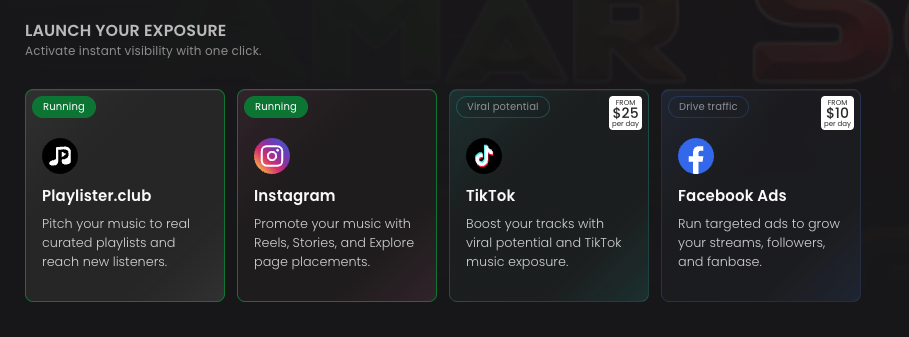
You can also click directly into the Playlisting or Digital Ads tabs on the left-hand sidebar, and there will be a "Running" or "Expired" icon on the top-right corner of your results page:


We always recommend waiting until closer to the very end of the campaign so you can truly gauge results. This gives playlisters and audiences enough time to engage with your track and ensures you're getting a clearer sense of how your track is being received.
